Integrating Cinematography Element 3D Set 02 into Professional Creative Workflows
In the modern digital landscape, visual storytelling is no longer confined to the silver screen. It permeates every aspect of marketing, education, and content creation. Whether you are designing a YouTube thumbnail, building a brand identity for a production house, or creating educational media, the quality of your assets directly influences audience engagement. This is where specialized resources like Cinematography Element 3D Set 02 become essential tools in a creator’s arsenal. Rather than starting from scratch or relying on generic stock imagery, this bundle offers a curated collection of high-fidelity 3D assets that streamline the design process while elevating the final output.
Understanding how to effectively integrate these assets into your existing workflow requires more than just downloading files. It involves recognizing where these elements fit within the broader context of project planning, execution, and delivery. By treating these 3D models as functional components of your design system, you can achieve greater consistency, efficiency, and visual impact across various media formats.
The Role of Specialized 3D Assets in Modern Design
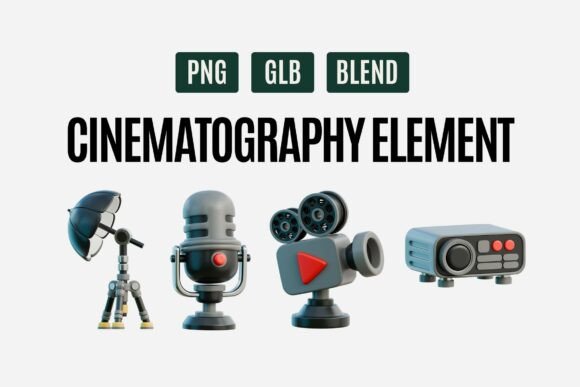
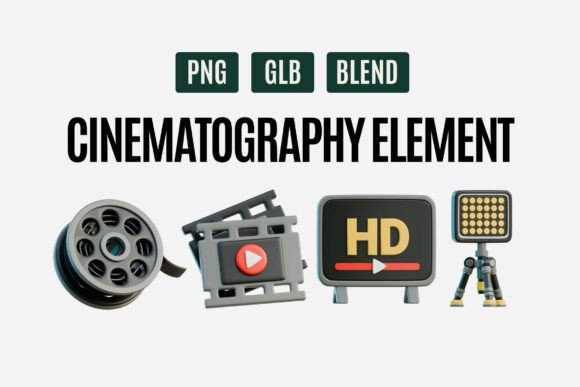
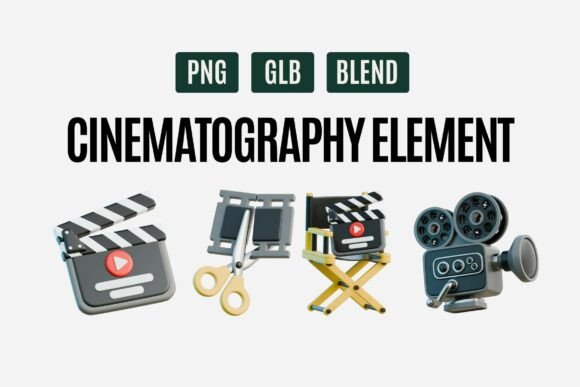
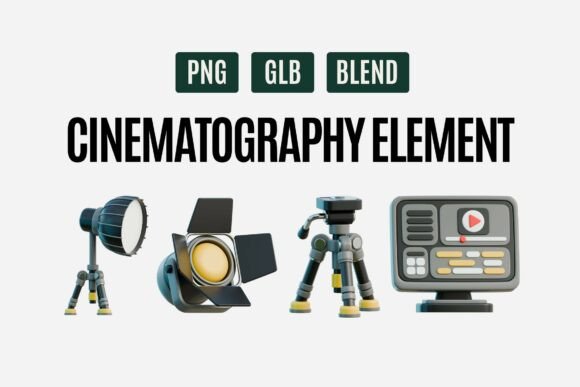
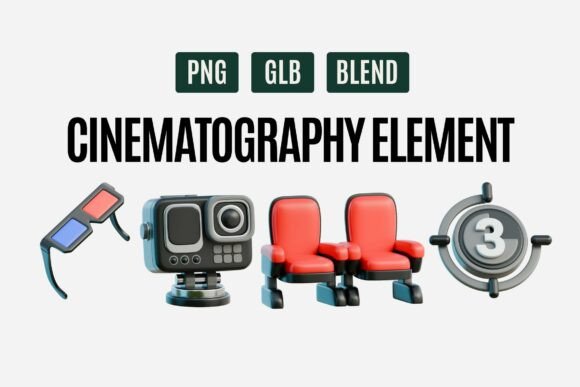
The demand for cinematic aesthetics has grown exponentially as audiences become more visually literate. Viewers expect a certain level of polish and professionalism, even in short-form social media content. Cinematography Element 3D Set 02 addresses this need by providing a comprehensive suite of movie-making essentials. The collection includes vintage film cameras, clapperboards, director chairs, lighting equipment, microphones, projectors, and HD screens. Each item is crafted with a playful yet modern 3D style, featuring smooth details and realistic materials that bridge the gap between whimsical illustration and photorealism.
For graphic designers and filmmakers, the value lies in the versatility of these assets. They are not merely decorative; they serve as visual shorthand for concepts related to production, creativity, and media. When used strategically, these elements can communicate complex ideas quickly. For instance, a clapperboard instantly signals "action" or "beginning," while a vintage camera evokes nostalgia and craftsmanship. By incorporating these symbols into your designs, you leverage established cultural associations to enhance your message without needing extensive explanatory text.
Workflow Integration: From Concept to Final Render
Implementing Cinematography Element 3D Set 02 into your projects involves several stages, each requiring careful consideration of format, compatibility, and artistic direction. The bundle is available in PNG, GLB, and BLEND formats, ensuring it fits seamlessly into both 2D and 3D workflows. Understanding when and how to use each format is crucial for maintaining efficiency.
Pre-Production and Planning
Before diving into design software, consider the narrative role these assets will play. Are you creating a cinematic poster that needs to evoke the glamour of old Hollywood? Or perhaps a clean, modern thumbnail for a tech review video? During the planning phase, identify which elements from the set align with your brand voice and project goals. This preparation prevents aimless browsing and ensures that every asset selected serves a specific purpose.
For teams, this stage also involves establishing a shared library. By organizing the GLB and BLEND files in a centralized asset management system, multiple designers can access consistent resources. This reduces redundancy and ensures that all visual outputs maintain a cohesive look and feel, which is vital for brand recognition.
Execution in 3D Environments
If your workflow involves 3D software such as Blender, Cinema 4D, or Unity, the BLEND and GLB formats offer maximum flexibility. You can import these models directly into your scenes, adjusting lighting, textures, and camera angles to match your specific requirements. The realistic materials included in Cinematography Element 3D Set 02 respond well to different lighting setups, allowing you to create dramatic shadows or bright, airy compositions as needed.
One practical tip is to use these assets as foreground or background elements to add depth to your compositions. For example, placing a slightly out-of-focus microphone in the foreground can create a sense of intimacy and perspective, drawing the viewer’s eye toward the main subject. This technique is particularly effective in animation projects and video editing mockups, where spatial relationships contribute to the overall storytelling.
Efficiency in 2D Design
For designers working primarily in 2D applications like Photoshop, Illustrator, or Canva, the PNG files provide a quick and reliable solution. These pre-rendered images retain the high-quality details of the 3D models, allowing you to drag and drop them into your layouts without the need for complex rendering processes. This is ideal for tight deadlines or projects where 3D manipulation is unnecessary.
When using PNGs, pay attention to resolution and scaling. Ensure that the assets are large enough to remain crisp on high-density displays, especially for digital presentations and web graphics. Additionally, consider using blending modes and layer effects to integrate the 3D elements seamlessly with your 2D backgrounds, creating a unified visual experience.
Enhancing Specific Use Cases
The versatility of Cinematography Element 3D Set 02 makes it suitable for a wide range of applications. Here are some practical examples of how these assets can enhance specific types of projects:
- Cinematic Posters and Thumbnails: Use the vintage cameras and lighting equipment to create eye-catching headers for YouTube videos or blog posts. The playful 3D style stands out in crowded feeds, increasing click-through rates.
- Video Editing Mockups: Incorporate clapperboards and director chairs into presentation decks to visualize video production timelines. This helps clients understand the scope of work and adds a professional touch to proposals.
- Film Studio Branding: Develop a consistent visual identity for production companies by using these elements across business cards, websites, and social media profiles. The cohesive style reinforces brand recognition.
- Educational Media Presentations: Teachers and trainers can use the projectors and screens to illustrate concepts related to media literacy, history of film, or technical production skills. The engaging visuals help maintain student interest.
- 3D Design Animation Projects: Animate the elements to create dynamic intros or transitions. For instance, a spinning film reel or a snapping clapperboard can serve as an effective transition between scenes.
Quality Control and Consistency
Maintaining high standards throughout your creative process is essential for professional results. When working with Cinematography Element 3D Set 02, regularly review your compositions to ensure that the lighting and color palette of the 3D assets match the rest of your design. Inconsistent lighting can break the illusion of realism and distract the viewer.
Additionally, consider the long-term usability of these assets. By building a personal library of customized scenes and renders, you can reuse these elements in future projects, saving time and effort. Document your settings and techniques so that you can replicate successful looks across different campaigns. This approach not only improves efficiency but also helps establish a signature style that sets your work apart.
Compatibility and Technical Considerations
Before purchasing or downloading any digital asset, it is important to verify compatibility with your existing software stack. The inclusion of GLB and BLEND formats in Cinematography Element 3D Set 02 ensures broad support across major 3D platforms. However, always check for version compatibility, especially if you are using older software versions. For 2D users, ensure that your image editing software supports transparent PNGs with high bit-depth to preserve the quality of the materials and shadows.
Organization is key to managing these files effectively. Create a structured folder system that separates assets by type (e.g., cameras, lighting, props) and format. This makes it easier to locate specific items during intense production periods. Tagging files with relevant keywords can further enhance searchability, allowing you to quickly find the right asset for the job.
Conclusion
Incorporating Cinematography Element 3D Set 02 into your creative workflow is more than just adding decorative elements; it is about enhancing your storytelling capabilities and streamlining your production process. By understanding the strengths of each file format and strategically placing these assets within your designs, you can create compelling visuals that resonate with your audience. Whether you are a seasoned filmmaker, a graphic designer, or a content creator, these tools provide the flexibility and quality needed to make your visuals shine like the big screen. Embrace the cinematic vibe, optimize your workflow, and let your creativity take center stage.